

Best Gaming Desktops to Buy in 2025: Top Prebuilt Picks from Budget to Premium
Finding the best gaming desktop to buy means balancing performance, component quality, upgradability, and value. A great gaming desktop delivers smooth frame rates in today’s games and has the upgrade potential to stay relevant for years. Whether you’re buying from a major retailer or a boutique builder, knowing what to look for — and what to avoid — separates a satisfying purchase from buyer’s remorse. This guide covers the best gaming desktops across every price tier, from budget builds under $700 to premium rigs pushing $2,000+.
For DIY alternatives, see our best cheap gaming PC guide. For community-vetted picks, read our Reddit best prebuilt gaming PC roundup.


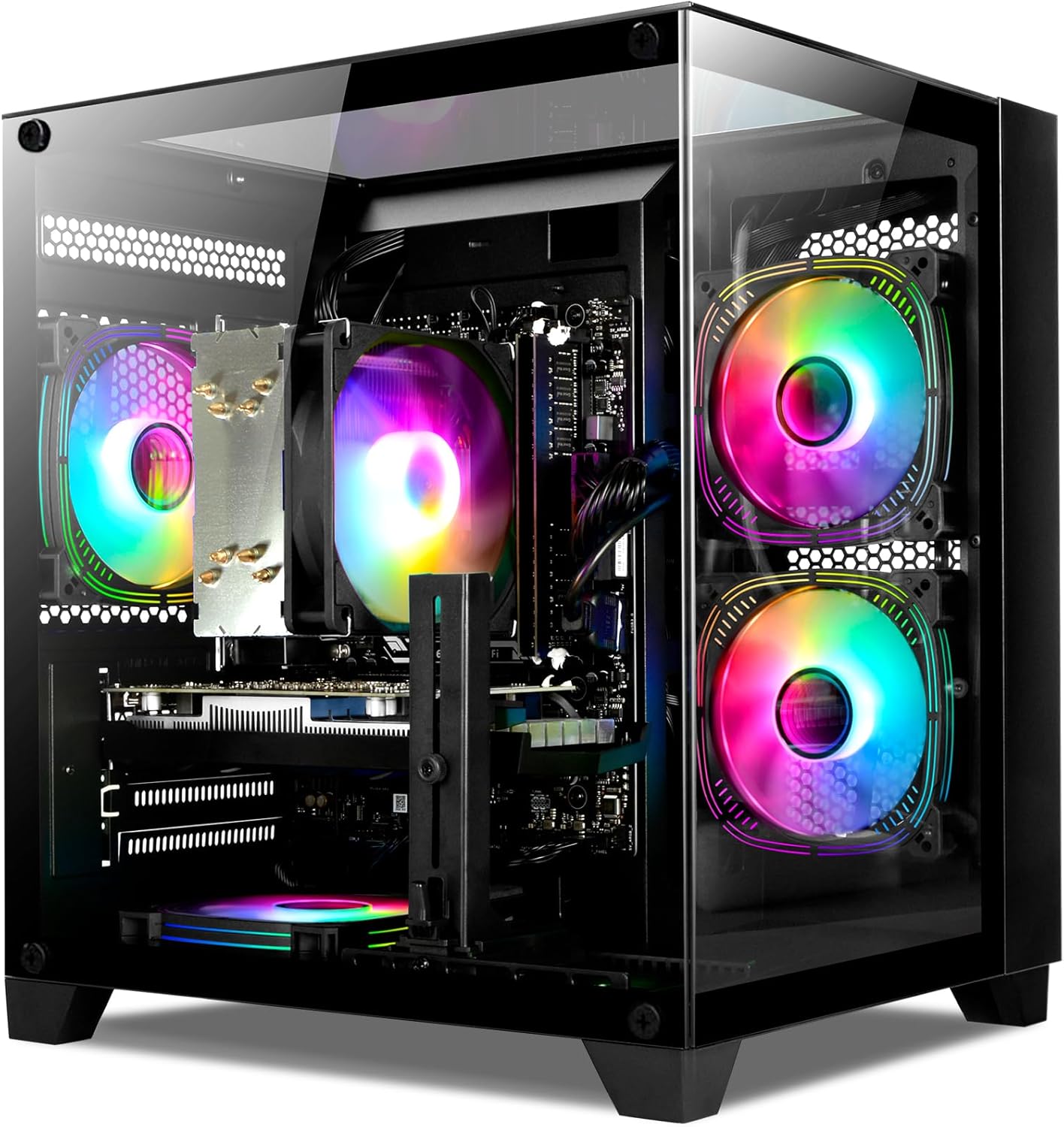
What to Look for When Buying a Gaming Desktop
- GPU: The most important gaming component — don’t skimp here.
- CPU: Aim for 6+ cores; Ryzen 5 or Core i5 tier is the minimum for modern gaming.
- RAM: 16GB DDR4/DDR5 is the current standard; 8GB is a day-one upgrade need.
- Storage: NVMe SSD for the OS and games; at least 500GB, ideally 1TB+.
- PSU Quality: Branded, 80+ Bronze rated — avoid unknown PSU brands in prebuilts.
- Upgradability: Standard ATX/Micro-ATX form factor allows future GPU/RAM upgrades.
Best Gaming Desktops to Buy — Comparison Table
| Desktop | CPU | GPU | RAM | Storage | Price | Rating |
|---|---|---|---|---|---|---|
| SkyTech Shadow 4.0 | Ryzen 5 7600X | RTX 4070 | 16GB DDR5 | 1TB NVMe | ~$1,299 | 4.8/5 |
| SkyTech Blaze 3.0 | Ryzen 5 5600X | RTX 3060 | 16GB DDR4 | 500GB NVMe | ~$799 | 4.7/5 |
| iBUYPOWER Pro SlateMR | i5-13600KF | RTX 4070 | 16GB DDR4 | 480GB SSD | ~$1,199 | 4.6/5 |
| HP Omen 45L GT21 | i9-13900K | RTX 4090 | 32GB DDR5 | 2TB NVMe | ~$3,299 | 4.7/5 |
| CyberpowerPC Gamer Xtreme VR | i5-12400F | RTX 3060 | 16GB DDR4 | 500GB SSD | ~$799 | 4.4/5 |
Top Gaming Desktops to Buy — Detailed Reviews
1. SkyTech Shadow 4.0 — Best Gaming Desktop to Buy Overall
The SkyTech Shadow 4.0 is the gaming desktop we’d recommend to most buyers in 2025. The Ryzen 5 7600X and RTX 4070 combination delivers excellent performance across all gaming scenarios — 1440p at high settings in AAA titles, 1080p 144fps+ in competitive games, and solid 4K performance in less demanding titles. The RTX 4070’s DLSS 3 support ensures the system stays relevant as AI upscaling becomes standard in new releases. AM5 platform DDR5 provides a future upgrade path.
SkyTech’s consistent track record for using quality components (branded PSU, reliable RAM) and providing clean Windows installs sets it apart from cheaper alternatives. The 1TB NVMe SSD provides enough space for Windows plus a substantial game library. At ~$1,299, the value proposition is strong — a comparable DIY build costs around $1,100, making the convenience premium reasonable for those who prefer plug-and-play.
Pros: RTX 4070 DLSS 3, AM5 platform, quality components, 1TB NVMe, SkyTech reliability
Cons: Only 16GB RAM (consider upgrading to 32GB), prebuilt markup vs DIY
Best for: Most gamers wanting a complete high-performance system without building
2. SkyTech Blaze 3.0 — Best Budget Gaming Desktop
The SkyTech Blaze 3.0 delivers the best value in the $700-900 gaming desktop segment. The Ryzen 5 5600X handles all current games without bottlenecking the RTX 3060, and the RTX 3060 itself delivers solid 1080p gaming performance with DLSS support for improved frame rates in supported titles. The 500GB NVMe SSD handles Windows and several large games. 16GB DDR4 provides adequate RAM for gaming without day-one upgrades.
SkyTech’s build quality at this price tier is notably better than competitors — the PSU choice and cable management are consistently better than CyberpowerPC alternatives at similar prices. The Micro-ATX form factor allows GPU upgrades when needed. For budget gaming desktop buyers who want reliable performance without DIY complexity, the Blaze 3.0 is the recommendation.
Pros: Great value, reliable SkyTech components, upgradable, RTX 3060 DLSS
Cons: 500GB storage fills quickly with modern games, RTX 3060 showing age in some titles
Best for: Budget gaming desktop buyers, plug-and-play 1080p gaming
3. iBUYPOWER Pro SlateMR — Best Intel Gaming Desktop
The iBUYPOWER SlateMR with i5-13600KF and RTX 4070 is the best Intel-platform gaming desktop pick. The i5-13600KF’s 14-core hybrid architecture handles gaming and simultaneous streaming/recording efficiently. Paired with the RTX 4070, it delivers strong 1440p gaming with headroom for future games. The mesh front panel design allows better airflow than many prebuilt cases, keeping temperatures managed.
iBUYPOWER has improved significantly in component quality and customer service. The SlateMR series represents their best value proposition. At ~$1,199, it competes directly with the SkyTech Shadow 4.0 — choose based on platform preference (AMD vs Intel) and your streaming/multitasking needs (i5-13600KF has more cores for background tasks).
Pros: i5-13600KF for streaming/multitasking, RTX 4070, good airflow design, competitive price
Cons: iBUYPOWER’s variable historical reputation, smaller SSD than SkyTech
Best for: Intel platform preference, gamers who stream, multitaskers
4. NZXT BLD Starter PC — Best Boutique Gaming Desktop
NZXT’s BLD service offers a boutique gaming desktop experience where you configure components through their website and receive a professionally assembled, cable-managed PC in an NZXT case. The build quality and aesthetics are exceptional — NZXT’s cases are among the best looking gaming enclosures available, and their assembly team produces immaculate cable management. Starting around $899 for RTX 3060 configurations, it’s a premium build experience.
NZXT includes a 2-year warranty and provides a custom PC companion app for monitoring and CAM software integration. The focus on quality and aesthetics makes NZXT BLD the recommended boutique option for gamers who want a premium-looking and feeling desktop beyond what mass-market prebuilts offer.
Pros: Premium build quality, excellent aesthetics, 2-year warranty, CAM software, configurable
Cons: Premium price vs SkyTech at similar specs, limited configuration flexibility
Best for: Aesthetics-focused buyers, those wanting premium build quality and warranty
5. HP Omen 45L — Best Premium Gaming Desktop
For buyers with a substantial budget who want a no-compromise gaming desktop from a major manufacturer, the HP Omen 45L with RTX 4090 configurations represents the pinnacle of mainstream gaming desktop performance. HP’s build quality is genuine — the Omen 45L case has won design awards and the liquid cooling on high-end configurations keeps demanding processors cool during extended sessions. The tool-free upgrade design makes GPU and RAM swaps straightforward.
HP’s support infrastructure and retail availability (Best Buy, HP.com) provide peace of mind. The OMEN Command Center software is less bloated than most OEM software. At premium configurations (~$3,299 with RTX 4090), the Omen 45L costs significantly more than equivalent DIY builds but delivers the manufacturer experience that some buyers genuinely value.
Pros: Premium HP build, tool-free design, RTX 4090 available, retail support, attractive design
Cons: Significant premium over DIY, proprietary elements in some configurations
Best for: Big-brand buyers, retail purchase preference, premium aesthetics
Gaming Desktop GPU Tier Guide
The GPU determines your gaming desktop’s performance ceiling. Under $800: RTX 3060/RX 6600 handles 1080p high settings. $800-$1,200: RTX 3060 Ti/RTX 4060 Ti/RX 6700 XT delivers 1080p 144fps and entry 1440p. $1,200-$1,800: RTX 4070/RX 6800 XT handles 1440p at high settings. $1,800-$2,500: RTX 4070 Ti/RX 7900 XT pushes 1440p maximum and entry 4K. $2,500+: RTX 4080/4090 delivers 4K maximum performance. Match your target resolution and refresh rate to the appropriate GPU tier.
Complete your gaming desktop setup with our best gaming monitors under $250 and best keyboards for gaming guides.
Frequently Asked Questions About Gaming Desktops
What is the best gaming desktop brand?
SkyTech consistently earns top recommendations for the best prebuilt gaming desktop brand for quality-to-value ratio. NZXT BLD leads for premium boutique quality. HP Omen is the best mainstream brand. For workstation-gaming hybrids, Dell’s Alienware remains a premium option despite higher prices.
Is buying a prebuilt gaming desktop worth it?
Yes for most buyers. While DIY saves 15-25% at equivalent specs, prebuilt gaming desktops from quality brands like SkyTech offer plug-and-play convenience, warranty coverage, and technical support. The markup has narrowed as component prices stabilized. For buyers who aren’t comfortable with PC building, prebuilt is the right choice.
What gaming desktop should I buy under $1000?
The SkyTech Blaze 3.0 (~$799) or CyberpowerPC Gamer Xtreme (~$799-$899) are the top picks under $1,000. For maximum value, a DIY build with Ryzen 5 5600 + RTX 3060 or RTX 4060 delivers more performance for the same money if you’re willing to build.
How long does a gaming desktop last?
A quality gaming desktop with a current-generation GPU typically provides excellent gaming performance for 4-6 years. GPU upgrades (the most impactful single component for gaming) can extend useful life by another 3-4 years. CPU and RAM in a quality build rarely need upgrading within 5-7 years for gaming. Budget desktops with lower-tier GPUs may need GPU upgrades sooner.


Write Your Review
No reviews yet. Be the first to share your experience!